EasySwing vs ThinkorSwim: Which Scanner Fits Swing Traders?
ThinkorSwim's Stock Hacker includes more than 400 built-in technical studies and supports real-time scanning across the full U.S. equity universe. What it does not include is a synthesis layer — named setup detection, quality grading, and market regime classification that convert filter results into a ranked, pre-scored list of swing trade candidates.
Both platforms surface stocks matching your conditions. The practical difference is where the work of evaluation happens: in a coding environment before you scan, or in a pre-built engine that runs automatically after the close.
What ThinkorSwim and EasySwing.trading Are
ThinkorSwim is Charles Schwab's full-featured trading platform, free to all Schwab account holders, with a customizable screener called the Stock Hacker. EasySwing.trading is a purpose-built end-of-day swing screener that detects 13 named strategies, grades each result A+/A/B+/B/C, and gates the full list by market regime every session. The difference is breadth versus methodology specificity.
ThinkorSwim is the flagship platform from Charles Schwab — available at no additional cost to all Schwab and TD Ameritrade account holders, a combined customer base exceeding 30 million accounts. The built-in Stock Hacker screener supports filtering across equities, ETFs, options, and futures using any combination of 400+ pre-built technical studies or custom conditions written in thinkScript, Schwab's proprietary scripting language. The screener streams results in real time during market hours and can also run end-of-day configuration sweeps. ThinkorSwim is built for active traders who want maximum flexibility across all asset classes.
EasySwing.trading runs 13 named swing trading strategies automatically after the market close — VCP Breakout, Trend Pullback, Bear Flag, RSI Overbought, Swing Condor, Cup and Handle, Qullamaggie Breakout, and six others — using a multi-layer detection engine that checks Weinstein Stage 2 trend structure, RS rank threshold, volume confirmation, and named pattern formation for every U.S.-listed equity. Each result receives a quality grade (A+/A/B+/B/C) and a composite score (0–100). Plans start at $49/month ($39/month with annual prepay).
The core difference: ThinkorSwim's screener returns everything matching conditions you define. EasySwing.trading returns pre-detected, pre-graded named setups — regime-validated before you open the morning list.
The Screening Model: thinkScript Code vs Strategy Detection
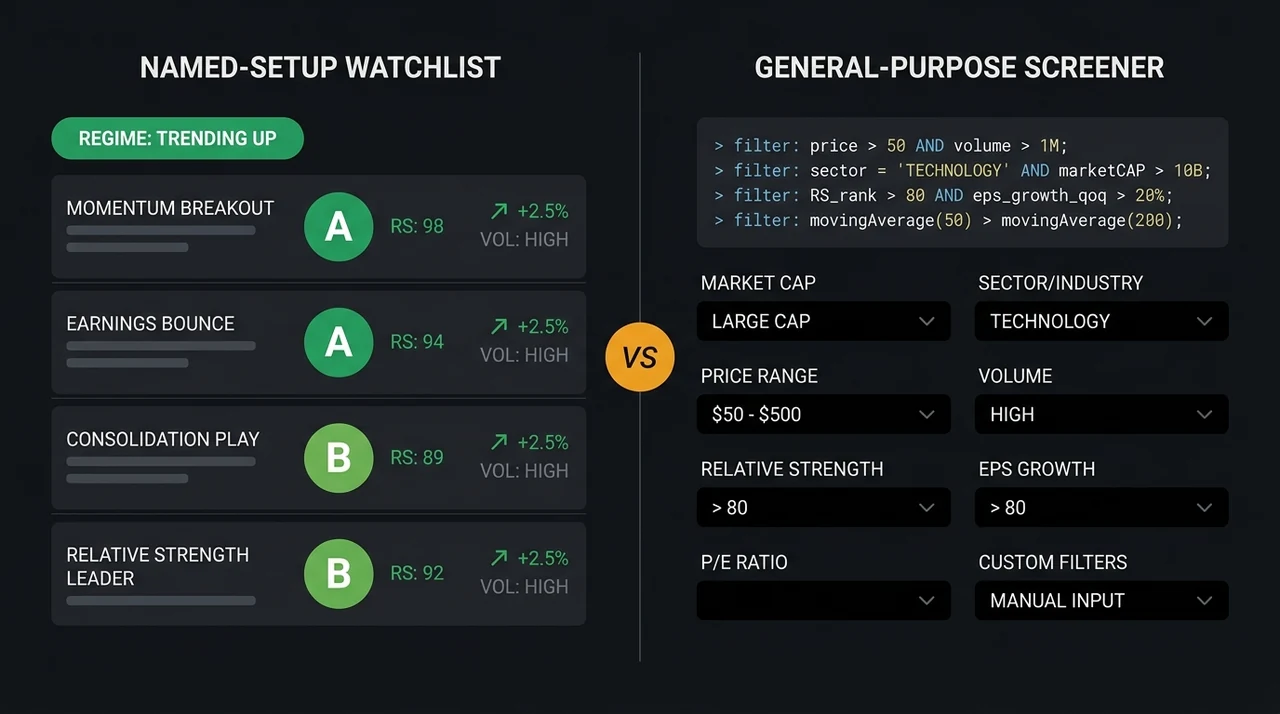
ThinkorSwim's Stock Hacker requires you to define every scan condition, typically in thinkScript code. EasySwing.trading detects named setups automatically using pre-built multi-layer detection logic. Both approaches reach stocks that meet criteria — one leaves pattern recognition to the trader, the other embeds it in the engine.
ThinkorSwim's model: the Stock Hacker assembles filter conditions into a query that runs against the available data. Basic filters — price range, average volume, 52-week performance — use dropdown selectors. Detecting named setups (VCP, Cup and Handle, Qullamaggie Breakout) requires either community-sourced thinkScript approximations or custom-written scripts. The community library on Schwab's forums is extensive, but quality varies. A thinkScript approximation for a VCP evaluates mathematical proxies for volatility contraction, not the pattern itself. Once scan results return, pattern quality assessment and ranking remain the trader's responsibility.
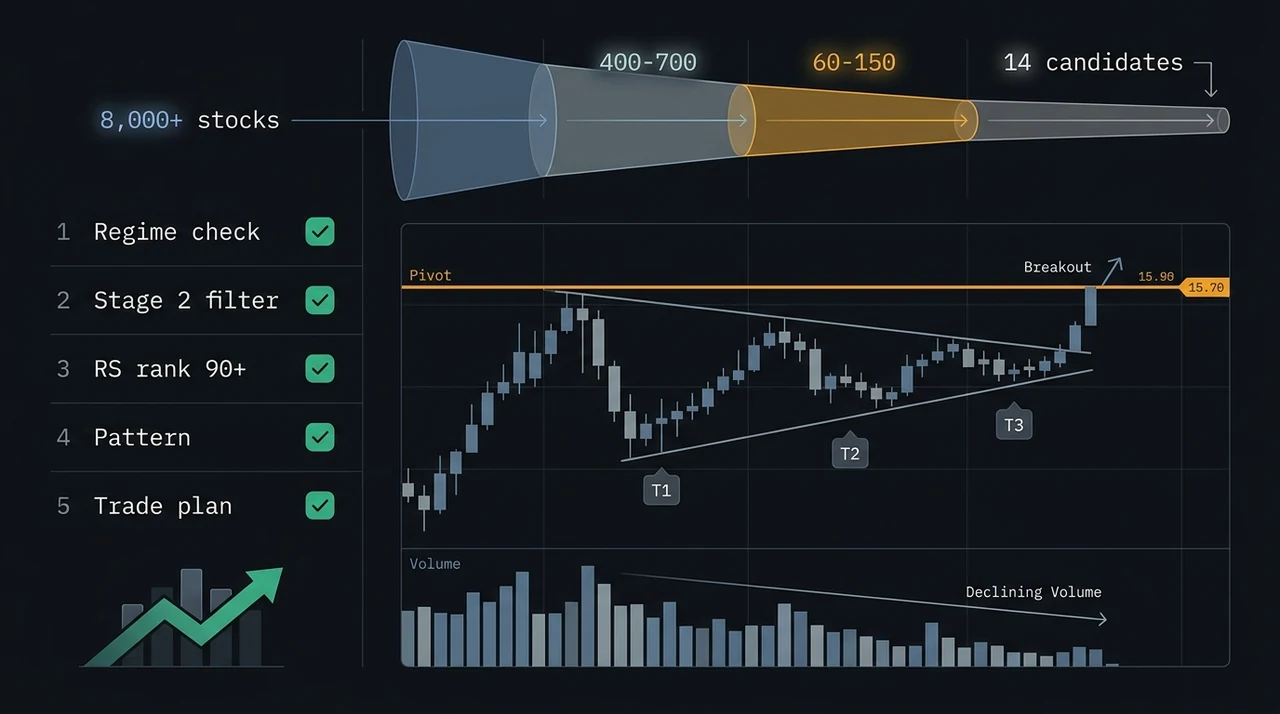
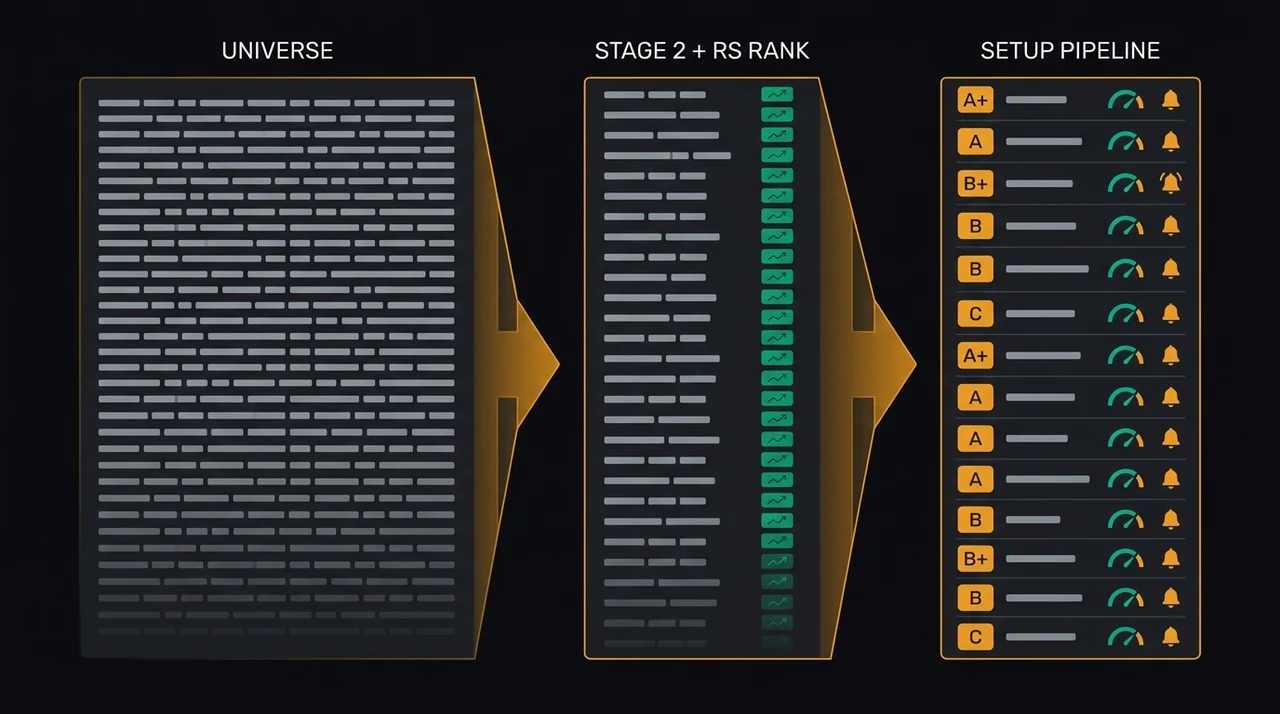
EasySwing.trading's model: 13 strategies run simultaneously every session using fixed detection logic. A VCP Breakout candidate has already cleared: Weinstein Stage 2 trend structure, RS rank above the strategy's threshold, successive bases with declining price-range and volume, and market regime alignment. No thinkScript input required, no post-scan chart-by-chart review needed for pattern confirmation. The output is a ranked, graded list.
Mark Minervini frames the goal in Think and Trade Like a Champion (2017): the entire purpose of a screening process is to cut the universe a trader has to consider down from thousands of names to a handful worth real attention. Purpose-built strategy detection is the mechanism that achieves that reduction without requiring the trader to code it.
Learning Curve and Scan Workflow Time
Building a reliable swing scanning workflow in ThinkorSwim requires meaningful thinkScript knowledge — or patience navigating community scripts of uneven quality. EasySwing.trading requires no coding: the scan pipeline runs correctly on day one. The time cost of thinkScript literacy compounds across every session.
ThinkScript is genuinely powerful for traders who invest in learning it. The language supports conditional logic, multi-bar lookback, and cross-study references that allow complex scan conditions. Schwab provides documentation, and the forum community has shared thousands of scripts covering RSI setups, moving average alignment, and volatility contraction proxies.
The limitation emerges at the methodology level. Named patterns like VCP or Cup and Handle depend on multi-condition recognition that resists reduction to simple scripted criteria. A community script labeled "VCP Scanner" typically evaluates some proxy — declining ATR over N bars, close near a range high — rather than the full set: successive base contractions with declining range AND declining volume AND no distribution AND Stage 2 structure. The approximation passes some real VCP setups and includes non-setups that match the mathematical proxy. Quality judgment remains manual after the scan.
Research by Barber and Odean (Journal of Finance, 2000) tracked more than 66,000 individual brokerage accounts and found the most active traders underperformed by an average of 6.5 percentage points annually, driven largely by acting on low-quality signals rather than validated ones. Differentiating setup quality is not a minor workflow preference — it determines whether inputs to the trade decision are signal or noise.
For the indicator hierarchy that feeds EasySwing's detection logic, see Best Indicators for Swing Trading: The 5 That Actually Work.
Market Regime Awareness
ThinkorSwim's Stock Hacker has no built-in market regime filter — momentum and breakout scans fire identically in bull and bear markets. EasySwing.trading's regime engine classifies the market into five states each session and gates which strategies surface accordingly. Regime alignment is among the highest-impact variables in swing trading performance.
Andreas Clenow documented in Stocks on the Move (2015) that a momentum strategy only holds up when it is paired with a market-regime filter — his system stops taking new long positions entirely whenever the S&P 500 trades below its 200-day moving average, because breakouts that follow through in an uptrend fail at much higher rates once the broad index rolls over. Without a regime filter, a momentum breakout scan surfaces the same volume of results in a bull run as during a broad correction.
ThinkorSwim allows traders to add market-context conditions to individual scans — a SPY price-relative filter, a $TICK threshold, a custom breadth indicator. These work for traders who construct them deliberately. They must be maintained manually and do not gate the scan by a named market state; whether the additions are correct, current, and comprehensive is the trader's ongoing responsibility.
EasySwing.trading classifies the market each session as one of five states — Trending Up, Trending Down, Ranging, High Volatility, or Transitioning — based on index breadth, ADX reading, VIX level, and index price structure. In a Trending Down state, long-side momentum strategies are suppressed; Bear Flag and RSI Overbought setups are promoted. This is a structural gate, not a visual indicator for the trader to interpret. For a breakdown of the five-regime framework, see Market Regime: How to Read Bull, Bear, and Choppy Markets.
Where ThinkorSwim Holds the Advantage
EasySwing.trading does not outperform ThinkorSwim across every dimension. ThinkorSwim's cost advantage, real-time alert engine, options scanning, and charting depth are genuine advantages for traders whose workflow requires any of them.
1. Cost. ThinkorSwim is included with any Schwab brokerage account at no additional cost. EasySwing.trading starts at $49/month on a monthly plan. For a trader already using Schwab, the marginal cost of the screener is zero.
2. Real-time scanning. The Stock Hacker streams results during market hours as conditions develop. Traders who act on intraday breakouts, opening-range setups, or live price triggers need a real-time feed. EasySwing.trading operates end-of-day and does not surface intraday alerts.
3. Options scanning. ThinkorSwim's screener covers options data natively — implied volatility rank, open interest by strike, bid/ask spreads, and delta ranges. EasySwing.trading screens U.S. equities only.
4. Fundamental filters. The Stock Hacker includes EPS growth, revenue growth, P/E ratio, current ratio, gross margin, and analyst rating filters alongside technical conditions. EasySwing.trading does not surface these as stand-alone parameters — fundamentals are embedded in RS rank and momentum criteria.
5. Charting depth. ThinkorSwim's chart engine is among the deepest available to retail traders — 400+ studies, replay mode, drawing tools, multiple linked panes, and a shared scripts community. EasySwing.trading includes setup-level charts for reviewing each candidate, but not a full interactive charting environment.
Who Each Tool Fits
The right choice depends on whether your workflow requires multi-asset scanning and real-time alerts, or a dedicated end-of-day swing pipeline with pre-scored, regime-filtered named setups.
ThinkorSwim fits swing traders who:
- ✅Already have a Schwab account and want a free screening option
- ✅Trade options alongside equities and need both in a single platform
- ✅Need real-time intraday alerts as conditions develop during the session
- ✅Have thinkScript experience and want fully custom scan logic
- ✅Use EPS growth, P/E ratio, or analyst ratings as primary filter criteria
- ✅Want the deepest retail-grade charting environment without additional cost
EasySwing.trading fits swing traders who:
- ✅Want named setup detection (VCP, Trend Pullback, and 9 others) without writing or sourcing scan code
- ✅Follow Minervini, O'Neil, or Weinstein methodology and want a tool aligned to those criteria
- ✅Need a regime gate that suppresses long-side signals in a bear market without manual configuration
- ✅Want a quality grade (A+/A/B+/B/C) and composite score on every result, not an undifferentiated list
- ✅Want pre-calculated entry prices, stop-loss levels, and two profit targets on each setup
- ✅Prefer a focused end-of-day review workflow over continuous intraday monitoring
- ❌EasySwing.trading is not suitable for options scanning, futures trading, or real-time intraday alert workflows
- ❌ThinkorSwim's screener does not approximate named-setup detection without significant thinkScript investment
EasySwing.trading vs ThinkorSwim: Feature Comparison
| Feature | EasySwing.trading | ThinkorSwim Stock Hacker |
|---|---|---|
| Named setup detection | Yes — 13 strategies | No — filter-based only |
| Setup quality grade | Yes — A+/A/B+/B/C + 0–100 score | No scoring |
| Pre-calculated entry/stop/target | Yes | No — manual |
| Market regime gating | Yes — 5-state engine | No built-in |
| Real-time scanning | No — end-of-day | Yes — streaming |
| Options scanning | No | Yes |
| Custom scan language | Not required | thinkScript (proprietary) |
| Fundamental filters | Limited | Yes — EPS, P/E, debt |
| Cost | $39–49/month | Free with Schwab account |
| RS rank filter | Yes — built into all strategies | Community scripts available |
| Best for | Swing traders (named-setup method) | Multi-asset active traders |
For a broader view of swing screener options, see Best Stock Screeners for Swing Trading: 7 Tools Compared.
Screener Selection Checklist
- ✅Use EasySwing.trading if you want a pre-scored, named-setup list each morning without writing scan code
- ✅Use EasySwing.trading if your methodology follows Minervini, O'Neil, or Weinstein and the detection logic should match those criteria
- ✅Use EasySwing.trading if you want a regime gate that automatically adjusts which strategies surface based on market conditions
- ✅Use ThinkorSwim if you trade options or futures and need one platform for all asset classes
- ✅Use ThinkorSwim if you need real-time streaming alerts as conditions develop during the session
- ✅Use ThinkorSwim if you are a Schwab customer and want to avoid an additional monthly subscription cost
- ❌Don't run momentum breakout scans without accounting for the current market regime — most screeners do not include this gate
- ❌Don't treat any screener result as a trade signal — it is a starting point for your own analysis
EasySwing.trading automatically screens for 13 named swing trading strategies across the full U.S. equity universe each session, with market regime gating on every result. For screener workflow principles, see How to Use a Stock Screener for Swing Trading and How to Set Up Swing Trading Alerts. Comparing other tools? See EasySwing vs Trade Ideas and EasySwing vs TC2000. Scan results are for informational purposes only. See our Risk Disclaimer.
Frequently Asked Questions
Is ThinkorSwim good for swing trading?
ThinkorSwim's Stock Hacker can be configured for swing trading scans using thinkScript conditions or community-sourced scripts. It works well for traders with thinkScript experience who want to build custom filter logic. The limitation is that named-setup detection (VCP, Cup and Handle, trend pullback), quality grading, and market regime gating are not built in — those layers require manual construction or post-scan chart review.
Does ThinkorSwim have a swing trading screener?
Yes — the Stock Hacker in ThinkorSwim functions as a stock screener and can be configured for swing trading conditions. Users can add technical filters for trend structure, relative volume, and momentum proxies either through dropdown selectors or custom thinkScript code. Named-setup detection (pattern recognition, quality scoring, market regime gating) is not built into the Stock Hacker and requires additional scripting or manual chart review.
What is thinkScript and do I need to learn it for ThinkorSwim scanning?
ThinkScript is Schwab's proprietary scripting language for building custom scan conditions, studies, and alerts in ThinkorSwim. Basic scans (price range, volume threshold, simple MA crossovers) use dropdown menus without coding. More specific swing trading conditions — stage analysis, named pattern detection, volatility contraction criteria — typically require thinkScript fluency or reliance on community scripts with variable quality.
What does EasySwing.trading offer that ThinkorSwim does not?
Named setup detection across 13 strategies (VCP, Trend Pullback, Bear Flag, and others), a quality grade (A+/A/B+/B/C) and composite score (0–100) for each result, pre-calculated entry price/stop-loss/profit targets on every setup, a five-state market regime engine that automatically gates which strategies surface, and an AI coaching layer (Soren) that provides setup-specific context on every result. These layers require either manual construction or post-scan review when using ThinkorSwim.
Can I use both ThinkorSwim and EasySwing.trading together?
Some traders use both: ThinkorSwim for options analysis, intraday monitoring, and deep charting alongside a Schwab trading account, and EasySwing.trading for the end-of-day swing setup pipeline with named-strategy detection and regime context. For a pure swing trader reviewing setups each evening and holding for days to weeks, EasySwing.trading alone covers the complete screening workflow. ThinkorSwim adds value primarily when the same account also holds options positions or requires real-time intraday alerts.
Disclaimer: This article is for educational purposes only and does not constitute investment advice. EasySwing is a stock screening tool, not a registered investment advisor. All trading involves risk. Read our full disclaimer →